A coding agent can write Python, but it often writes DQL as if it were SQL. It invents field names, forgets time alignment and runs queries that scan terabytes for nothing. The public Dynatrace for AI repository, published by Dynatrace on GitHub, tackles exactly that: it gives agents the domain knowledge they lack before they touch your environment.
The repository is not a new product. It is a set of text files: 34 skills in the open Agent Skills format, 6 ready-made prompts, an MCP configuration, a manifest for the official MCP registry and an llms.txt file. Everything is licensed under Apache-2.0.
This article walks through the content, shows how to install it in the agents the repository documents (Claude Code, Cursor, GitHub Copilot and a few others), runs a step-by-step investigation, then explains what it adds to the MCP server on its own. The scope is clear: the skills talk about Grail, DQL and platform apps, so they target Dynatrace SaaS. Dynatrace Managed is covered further down.
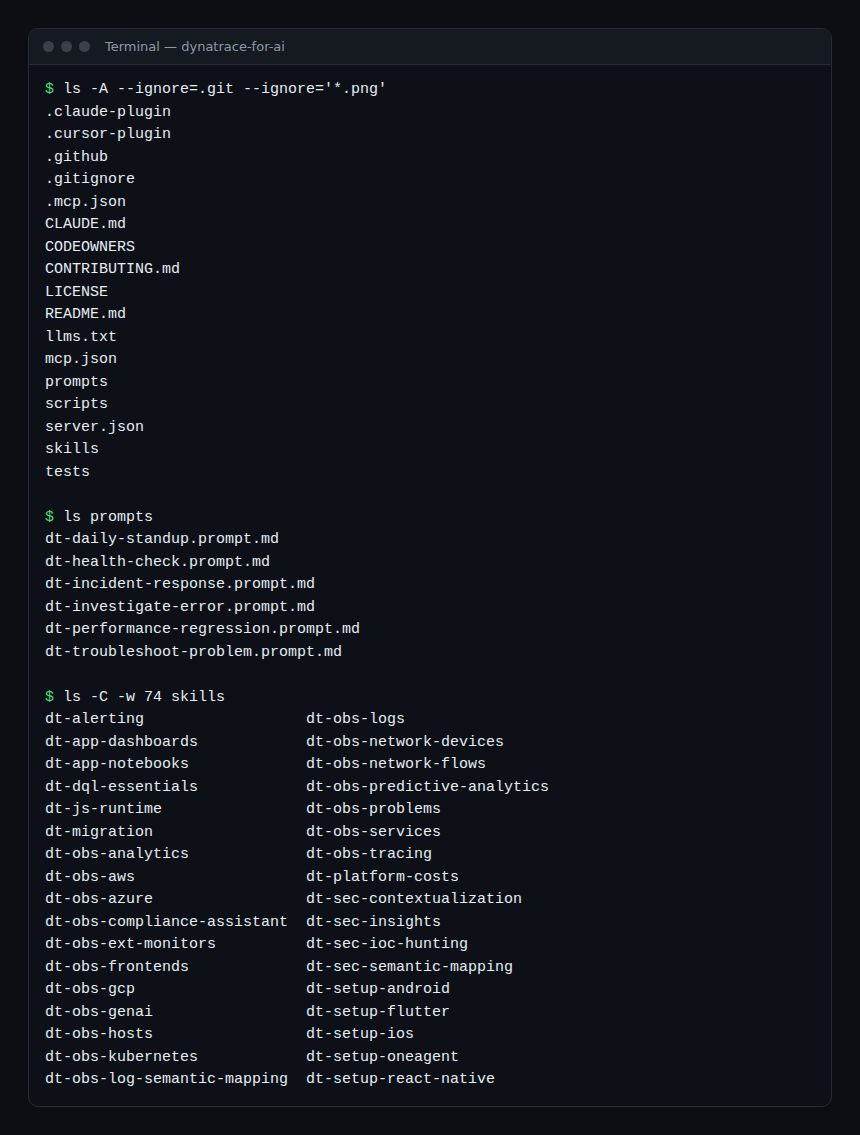
What the Dynatrace for AI repository contains
The root holds only a few items, each with a precise role.
| Item | Role |
|---|---|
skills/ |
34 dt-* folders, each with a SKILL.md and often a references/ subfolder |
prompts/ |
6 *.prompt.md files: reusable investigation scenarios |
mcp.json and .mcp.json |
The declaration of Dynatrace’s remote MCP server, driven by environment variables |
server.json |
The manifest published to the official MCP registry as io.github.Dynatrace/dynatrace-for-ai |
llms.txt |
A model-readable summary: what Dynatrace is, the list of skills and prompts, installation |
.claude-plugin/, .cursor-plugin/ |
The Claude Code and Cursor plugin manifests |
CLAUDE.md |
Instructions loaded by Claude Code with the plugin (variables to set, use of skills) |
tests/, scripts/ |
Structure and quality checks for skills, version number consistency |
The skills, family by family
A skill is a folder whose SKILL.md starts with a YAML header (name, description, license). The repository’s tests check that the name matches the folder and that the description fits in 250 characters. Names follow the dt-<domain>[-<usecase>] pattern.
- Query language:
dt-dql-essentials, the foundation. DQL syntax, common pitfalls, query cost optimisation. The repository asks agents to load it before writing any query. - Observability: services and RED metrics (
dt-obs-services), traces and spans (dt-obs-tracing), logs (dt-obs-logs), hosts and processes (dt-obs-hosts), Kubernetes (dt-obs-kubernetes), RUM and Web Vitals (dt-obs-frontends), Davis problems (dt-obs-problems), AWS, Azure and GCP clouds, forecasting and trend detection (dt-obs-predictive-analytics), Davis analyzers (dt-obs-analytics), end-to-end alerting (dt-alerting), GenAI applications (dt-obs-genai), SNMP network devices and network flows, ingestion of external test results (dt-obs-ext-monitors), semantic mapping of audit logs. - Security:
dt-sec-insights(thesecurity.eventstable), signal contextualisation, indicator-of-compromise hunting, semantic mapping for security integrations, and a DORA compliance assistant. - Instrumentation: OneAgent (VMs, Kubernetes, AWS Lambda, Windows, Azure), Android, iOS, Flutter and React Native.
- Platform: Dashboards, Notebooks, server-side JavaScript runtime and the
@dynatrace-sdk/*SDKs, cost and DPS consumption analysis. - Migration:
dt-migration, to move classic entity-based DQL to Smartscape equivalents.
The prompts: six operations scenarios
Prompts are short task templates. Each one describes an approach, not an answer.
dt-daily-standup: a daily update on one or more services.dt-health-check: the health of a service in production.dt-incident-response: an active incident, open Davis problems, impact, a shareable report.dt-investigate-error: recent errors, from Davis problems to logs, then traces.dt-performance-regression: did a recent deployment degrade performance, rollback or hotfix.dt-troubleshoot-problem: a structured investigation of an existing Davis problem.
Who Dynatrace for AI is for
Three profiles benefit. The developer who wants to check the effect of their code in production without leaving the editor. The on-call SRE who wants a repeatable investigation rather than improvisation at 3 a.m. The platform team that industrialises instrumentation (OneAgent, mobile SDKs) and wants the agent to follow the documented procedure rather than a vague memory.
The key point, stated in both the README and llms.txt: skills bring knowledge, not access. To run a real query you must pair them with a tool: the Dynatrace MCP server or dtctl, the open-source kubectl-style CLI.
Installing the skills in your agent
The repository documents four routes. Pick one per workstation.
- Skills package (skills.sh), for Claude Code, Cursor, Cline, GitHub Copilot, OpenCode and compatible agents:
npx skills add dynatrace/dynatrace-for-ai - Claude Code plugin, which bundles the skills and the MCP server configuration:
export DT_ENVIRONMENT=https://<env>.apps.dynatrace.com
export DT_PLATFORM_TOKEN=<your-platform-token>
claude plugin install dynatrace@claude-plugins-official
claude mcp login plugin:dynatrace:dynatrace   # checks the connection
The
https://prefix is required inDT_ENVIRONMENT. The token needs at least the MCP gateway scopes; the full list is in the MCP server documentation. - Cursor plugin: GUI-only install, from Customize in the sidebar, with the same two environment variables set before launch.
- Manual: copy the skill folders into the agent’s directory (
.agents/skills/,.claude/skills/,.cursor/skills/…). For GitHub Copilot in VS Code, also copy the prompts into.github/prompts/: they become slash commands such as/dt-troubleshoot-problem.
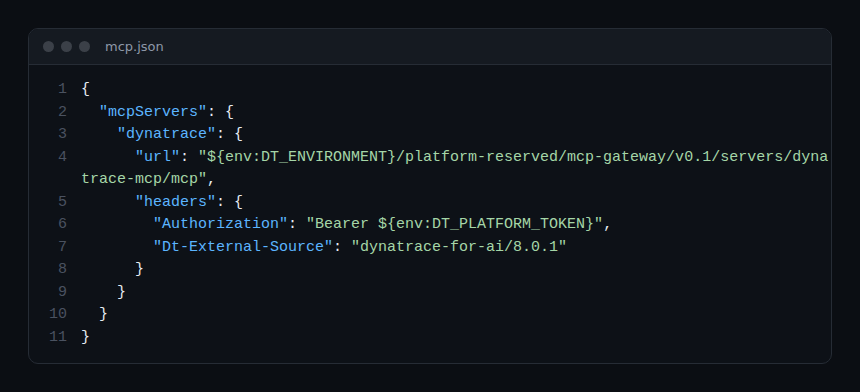
For the connection, the plugin references a remote MCP server hosted by Dynatrace: nothing to install. Here is the core of mcp.json:
{
  "mcpServers": {
    "dynatrace": {
      "url": "${env:DT_ENVIRONMENT}/platform-reserved/mcp-gateway/v0.1/servers/dynatrace-mcp/mcp",
      "headers": {
        "Authorization": "Bearer ${env:DT_PLATFORM_TOKEN}",
        "Dt-External-Source": "dynatrace-for-ai/8.0.1"
      }
    }
  }
}
The token never lives in the file: it is read from the environment. The Dt-External-Source header simply identifies the package version. Detailed server setup is covered in our guide Dynatrace MCP on SaaS.
A concrete walkthrough: investigating errors step by step
Scenario: the error rate of a payment service climbs after a deployment. You work in Claude Code with the plugin installed.
- Check the connection. Run
claude mcp login plugin:dynatrace:dynatrace. Without it, the agent reasons in a vacuum. - Load the right scenario. Paste the content of
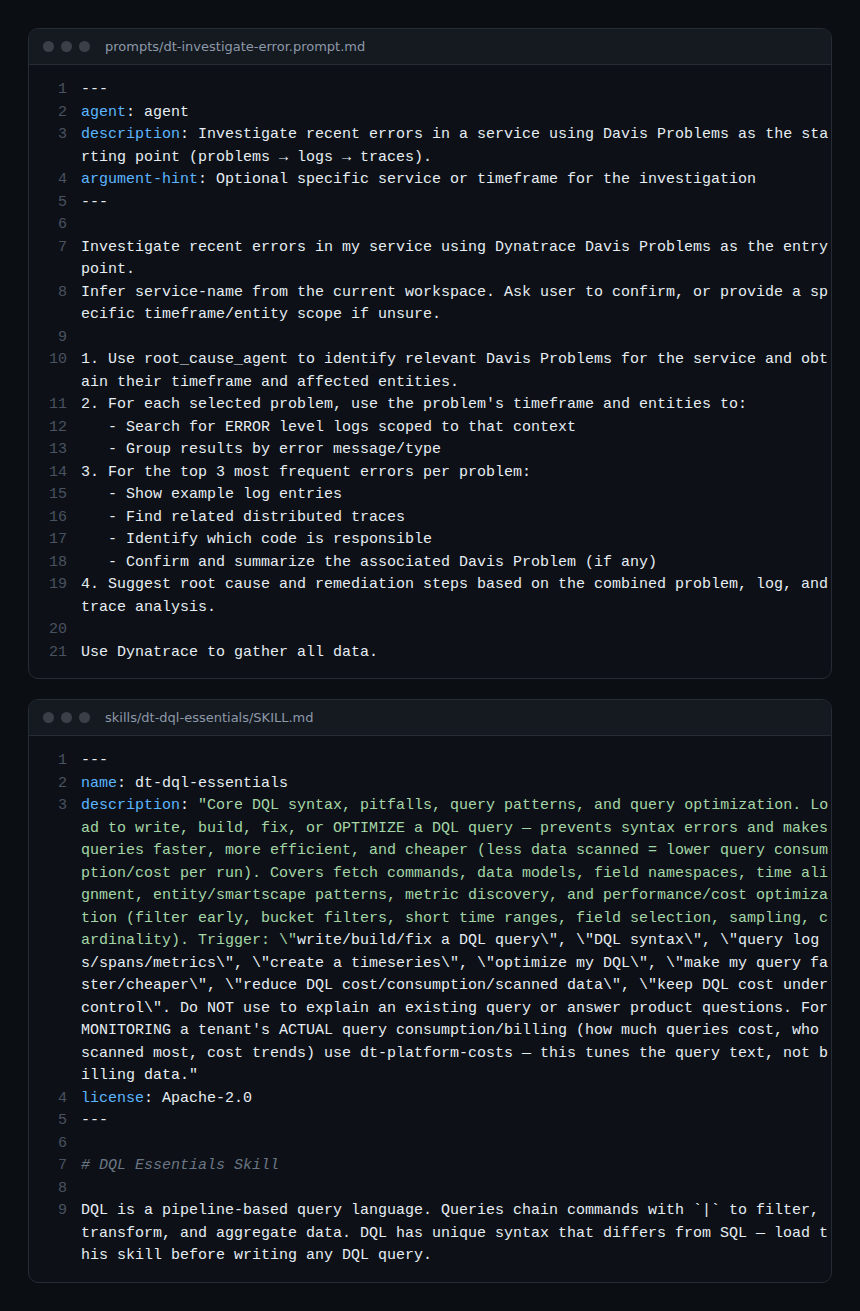
prompts/dt-investigate-error.prompt.md. It asks the agent to infer the service name from the workspace and have you confirm it. - Let the agent start from Davis problems. The prompt sets the order: problems, then ERROR-level logs scoped to the problem’s timeframe and entities, then traces. That order avoids a full-text search over thirty days.
- Watch progressive loading. At first the agent only holds each skill’s name and description (around 100 tokens each). When it writes DQL it loads
dt-dql-essentials(under 5,000 tokens), then only the reference it needs, for examplereferences/optimization.md. - Review the queries. Ask the agent to show each DQL query before running it. Check for early filters and a short time range: that is where cost is decided.
- Use the summary. The prompt ends with the top three errors, related traces, the code responsible and a remediation proposal. Copy it into the incident ticket.
How to check that it works
- In Claude Code,
/pluginshould list the Dynatrace plugin, andclaude mcp loginshould succeed. - Ask a question that requires DQL: the answer should use fields from the semantic dictionary, not invented columns.
- Rerun a query produced by the agent in a Notebook: same result, otherwise the query or the permissions are at fault.
What it changes compared with the MCP server alone
The MCP server gives the agent hands: running DQL, listing problems. It does not teach it to use them well. Skills add the manual: which fields exist, which queries are expensive, which order to follow in an investigation. Our article on the Dynatrace MCP server from symptom to fix shows the tool on its own; with skills, the same calls become more accurate and cheaper.
For an SRE the effect shows up in MTTR: fewer round trips over wrong queries, the same approach from one on-call shift to the next, less toil. Prompts make the investigation repeatable, which also helps a blameless post-mortem.
Another nuance: the repository presents dtctl as the recommended option in most cases, because it also covers SLOs, dashboards, workflows and settings, in any agent that can run shell commands. The MCP server remains the natural choice when the agent speaks MCP natively. For the protocol itself, see the Model Context Protocol explained, and for the editor equivalent, the Dynatrace plugin for Cursor.
Limits to know
- Dynatrace Managed. The repository’s addresses point to
*.apps.dynatrace.comand the skills rely on Grail, DQL and platform apps. They therefore target Dynatrace SaaS. For a Managed cluster, read our article Dynatrace MCP on Managed before considering anything. - Knowledge, not truth. A skill reduces errors, it does not remove them. Review queries and proposed changes.
- Closed contributions on skills. Content is maintained internally and published periodically; pull requests that modify skills are rejected, so open an issue instead.
- Data. The bundled MCP server connects to your environment; the README points to the Dynatrace privacy policy. Give the token only what it needs.
Good practice
- Install all the skills: progressive loading keeps the context lean.
- Keep
DT_PLATFORM_TOKENin the environment or a secrets manager, never in a repository. - Start each investigation with a prompt from the repository rather than a free-form question.
- Have a human approve any write action (dashboard, workflow, setting).
Frequently asked questions
Does Dynatrace for AI replace the MCP server?
No. Skills are knowledge only. They combine with the MCP server or with dtctl to reach the data.
Should I install all 34 skills?
Yes, the repository recommends it: the agent first loads only names and descriptions, then the full content only when it needs it.
Can I use the prompts without a plugin?
Yes. Paste them into any agent chat, or copy them into .github/prompts/ for GitHub Copilot in VS Code. Load the skills they reference first.
Conclusion
Dynatrace for AI closes the gap between an agent that can call an API and an agent that can investigate. Start with the plugin or npx skills add, connect the MCP server, then replay an investigation prompt on a past incident to judge the quality of the answers before relying on it on call. The source is authoritative: the GitHub repository and the MCP server documentation.
span.observer is an independent community blog, not affiliated with Dynatrace LLC. Dynatrace is a trademark of Dynatrace LLC. This article describes a public repository as of writing (version 8.0.1); check the official documentation before any production use.