ha-mcp Home Assistant: this is an unofficial MCP server, published on GitHub in the homeassistant-ai/ha-mcp repository, that lets an AI assistant (Claude, ChatGPT, Gemini CLI and others) read and control a Home Assistant installation in plain language. According to its GitHub page on 27 October 2026, the repository has about 5,300 stars (GitHub shows “5.3k”, a rounded value) and 255 forks, under the MIT licence.
For an SRE team, the interest goes beyond home automation. This repository is a textbook case: an agent is handed the keys to a small production system made of lights, locks, automations and backups. The useful questions are who can call the server, with which rights, and what happens when an action cannot be undone. This article follows the README, SECURITY.md, the FAQ and the LICENSE file of the repository, all read today.
A note on honesty: span.observer is an independent blog with no link to Home Assistant or to the project’s authors, and has neither installed nor run ha-mcp. The project describes itself as “The Unofficial and Awesome Home Assistant MCP Server”. The screenshots below are excerpts rendered from the repository’s files.
ha-mcp Home Assistant: what the repository says
- Licence: the LICENSE file is an MIT licence.
- Language and framework: Python 3.13 or later (
requires-python = ">=3.13,<3.15"inpyproject.toml), built with FastMCP, according to the README. - Version:
pyproject.tomland the CHANGELOG show version 8.7.0 of 14 October 2026. I could not read a release number on the GitHub page; the latest commit I read is dated 26 October 2026. - Scope: the README announces 87 tools: entity search, service calls, automations, scripts, dashboards, history, logs, backups, the device registry, and restarting Home Assistant.
- Difference from the built-in MCP server: according to the README, Home Assistant’s own server is built on Assist and only sees entities exposed to Assist; ha-mcp covers “everything in Home Assistant”, including creating and editing configuration.
That difference is the heart of the matter: the more the agent can configure, the larger the risk surface.
Home Assistant MCP server: the risk surface
Three points in SECURITY.md deserve a read before any installation.
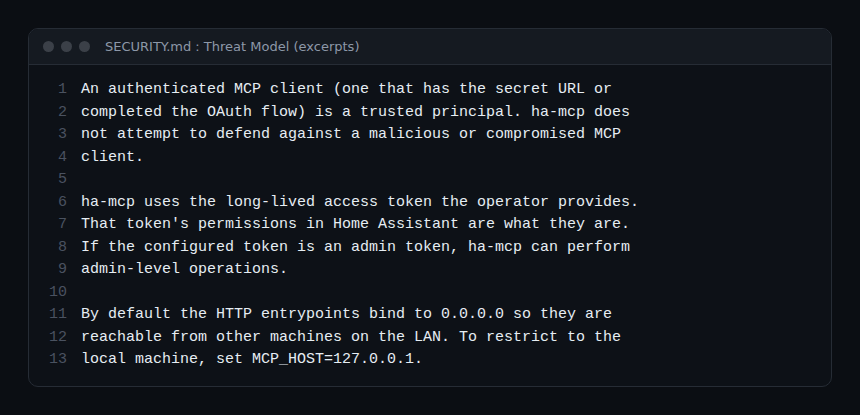
- An authenticated client is a “trusted principal”. The file says ha-mcp does not try to defend against a malicious or compromised MCP client, and that prompt injection is the client’s responsibility.
- Rights come from the token. ha-mcp uses the long-lived access token it is given; with an administrator token it can perform administrator operations. The project expects an administrator token and says that, to limit the agent, you should use its tool security policies or disable tools rather than use a non-admin token.
- The local network is the trusted zone. In standard mode, authentication rests on a secret in the URL path; any peer that can reach that path is treated as trusted. By default the HTTP entry points listen on
0.0.0.0;MCP_HOST=127.0.0.1restricts them to the local machine.
The same file adds that in standard mode all clients sharing the same secret get identical access, with no isolation between clients. For access from the internet, SECURITY.md points to OAuth mode (described as beta) or OIDC behind a TLS reverse proxy. For the general principles, see securing an MCP server and the SRE lessons of mainstream MCP.
Limiting the agent: read-only, policies, approval
Under “Safety”, the README lists a Read Only Mode, per-tool enabling and disabling, tool security policies (user approval) and automatic backups of edits.
Read-only per connection
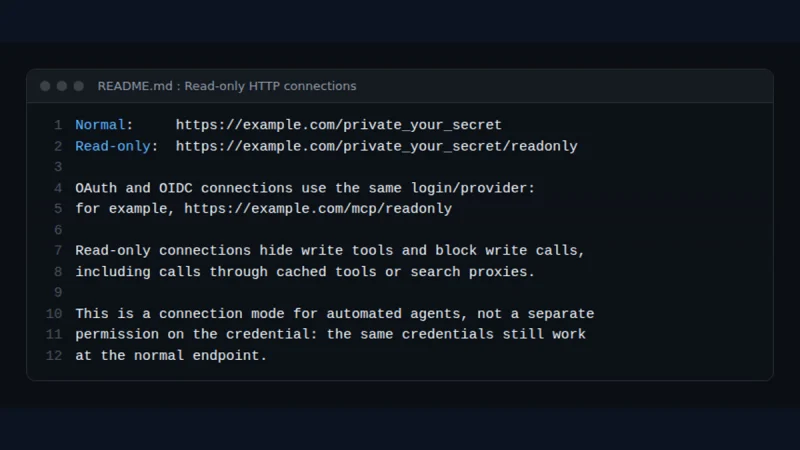
According to the README, appending /readonly to the HTTP server’s URL restricts that connection to read-only mode while other clients keep normal access. Write tools are hidden and their calls blocked, including calls made through cached tools.
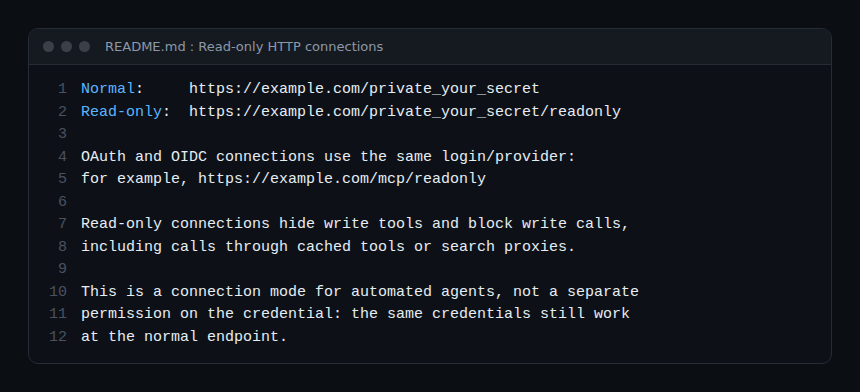
Note that the README says this is a connection mode, not a permission on the credential: the same credentials still work at the normal address. A leaked secret therefore still gives full access.
Global read-only mode
The app (add-on) documentation describes a read_only_mode option, off by default: it removes write tools from the list and blocks any write with a READ_ONLY_MODE error. The documented use cases are analysis, audits and demos. An app restart is needed.
Human approval for sensitive actions
The FAQ describes “Tool Security Policies” rules that hold a call until it is approved in the settings interface. Each request is also announced on the Home Assistant event bus as ha_mcp_approval_requested, with the fields token, tool_name, args, created_at and expires_at.
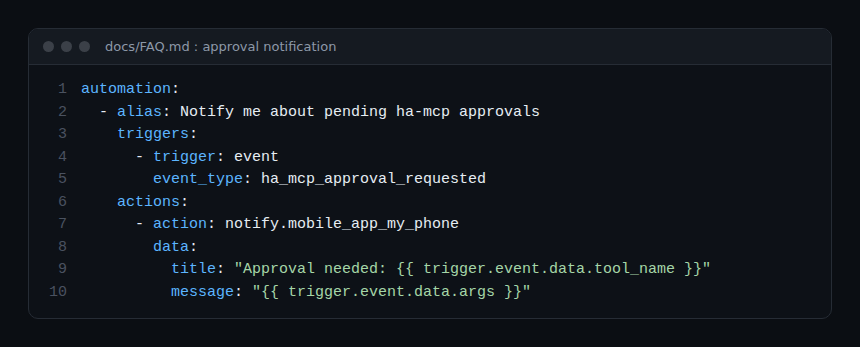
The FAQ warns that long arguments are truncated but not redacted: a short argument is broadcast on the bus as it is. Approving from a notification is off by default and requires a PIN.
Installation step by step
The README recommends the “HA-MCP Custom Component”, installed through HACS, which runs the server inside Home Assistant. Its quick start refers to version 9.0.0 (28 October 2026) and later: that date is after the day I read it, so check the screens against your own version.
- Install the component from HACS (custom repository
https://github.com/homeassistant-ai/ha-mcp, category Integration), then restart Home Assistant. - Decide which administrator account the server acts as. The README considers it safer to create a dedicated account (Settings, People) with “Allow login”, “Local access only” and “Administrator” on. A token on your own account “works from anywhere if it leaks”.
- Add the integration (Settings, Devices & Services) and choose how clients connect: remote access through a webhook (start with “Secret URL”) and/or local network access. Both start disabled.
- Copy the connect URL from the Configure screen and paste it into your AI client.
Other methods according to the README: the Home Assistant app (HAOS and Supervised), Docker, PyPI with uvx, or local stdio (not recommended, transport problems are reported). Configure only one method per client. To try it without touching your home, the README offers install scripts that point to a demo server; read a script before you run it.
Limits and open points
- Anchoring to qualify: an active project (many listed contributors, a detailed CHANGELOG) but a fast-moving one, with several install and authentication modes. The README announces a breaking change in v7.3.0 and puts some features in beta (files, YAML, custom tools). GitHub rounds the star count.
- Dates to check: the README mentions a version 9.0.0 dated 28 October 2026, while the version read in the code is 8.7.0.
- Sensitive write tools: the 87 tools include restart, deleting devices and entities, restoring backups and, in beta, writing files. Some actions cannot be undone by a simple rollback.
- Secret in the URL: the FAQ advises against pasting it into screenshots, public logs or conversations.
- Data: PRIVACY.md says ha-mcp collects no telemetry as of June 2026 (anonymous collection is “planned”), but what the agent reads passes through your AI client and its provider.
- Unofficial project: it is neither developed nor guaranteed by Home Assistant.
Observing the MCP server
The documentation I read does not describe any OpenTelemetry trace or metric export. pyproject.toml does list the opentelemetry-api library among its dependencies, but nothing says it exports traces: do not build monitoring on it without checking. What the documentation does describe:
- Server logs: the app’s Logs tab, or
docker logs ha-mcpfor Docker. The FAQ cites two normal lines: “Terminating session: None” (stateless HTTP mode) and a 405 on a GET. - HTTP transport diagnostics: the
HAMCP_HTTP_TRANSPORT_DIAGNOSTICS=trueoption (off by default, restart required) logs byte counts, elapsed time, disconnects and exception types at INFO level, with a server-generated trace identifier. No bodies, credentials or secret paths. - Approval events:
ha_mcp_approval_requestedon the Home Assistant bus lets you count and alert on held actions. - On the Home Assistant side: the
ha_get_logsandha_get_automation_tracestools read logs and automation traces.
To trace tool calls end to end, the client or agent has to emit the spans: see observing MCP agents with OpenTelemetry. A neighbouring project of the same kind: Agent Reach.
Best practices
- Start read-only (
/readonlyorread_only_mode) and open writes only when needed. - Create a dedicated administrator account rather than using your personal token.
- Keep access local; if remote access is needed, prefer Home Assistant sign-in or OIDC over a secret alone.
- Require human approval for destructive tools (deletion, restore, restart).
- Rotate an exposed secret and watch the logs; see guardrails for AI agents.
Frequently asked questions
Is ha-mcp an official Home Assistant project?
No. The repository calls itself “Unofficial”. Home Assistant has its own built-in MCP server, which the README compares with ha-mcp.
Can an agent really change everything?
It can do what the supplied token allows, according to SECURITY.md. With an administrator, that includes administration operations; read-only mode, tool disabling and approval policies narrow that scope.
Does the project send data to its author?
According to PRIVACY.md (June 2026), no telemetry is collected; bug reports are sent only with your approval. Your data is, however, processed by the AI client you connect.
Conclusion
ha-mcp shows what happens when an agent is given a real system: most of the security rests on the token’s rights, the URL secret and the approval guardrails. Treat it as a component to restrict from day one. Sources: homeassistant-ai/ha-mcp repository (README, SECURITY.md, docs/FAQ.md, LICENSE), read on 27 October 2026.
span.observer is an independent community blog, not affiliated with Dynatrace LLC, Home Assistant, the ha-mcp authors or the projects mentioned. Trademarks belong to their owners. Tools change quickly: check commands and options in their official documentation.