An app built by us, and free. Tiveo is an IPTV player for Android TV developed by the team behind this blog. We present it here with enthusiasm, but we promise nothing beyond what it does.
You have an IPTV subscription, an Android TV or Google TV set, and a remote whose buttons barely work in the app that came with the service. What you need is an IPTV player for Android TV designed for the living room: readable from three metres away, quick, and usable without a keyboard. That is the need Tiveo answers.
One point first, to be clear: Tiveo is a player only. It provides no channels, no playlists and no content. You bring your own subscription, add it once, and the app does the rest. It is completely free: no price, no in-app purchase.
Why a dedicated IPTV player for Android TV
A TV app is judged by its remote control. How many presses to jump from one channel to another? To find the film you started yesterday? To see what is on tonight? Tiveo starts from those everyday gestures and builds everything around them.
The same app also runs on Android phones, with a touch interface. It is designed for the television first, though, so a few TV-specific flows are not available on phones.
Home: pick up where you left off
The home screen opens on a large featured billboard. Below it, rows follow your last activity: Continue watching, On now, Matches, Favourite channels, My list, and the latest films and series. Each profile can switch these rows on or off. Tiveo can also start straight on your last channel, a chosen channel or My list.
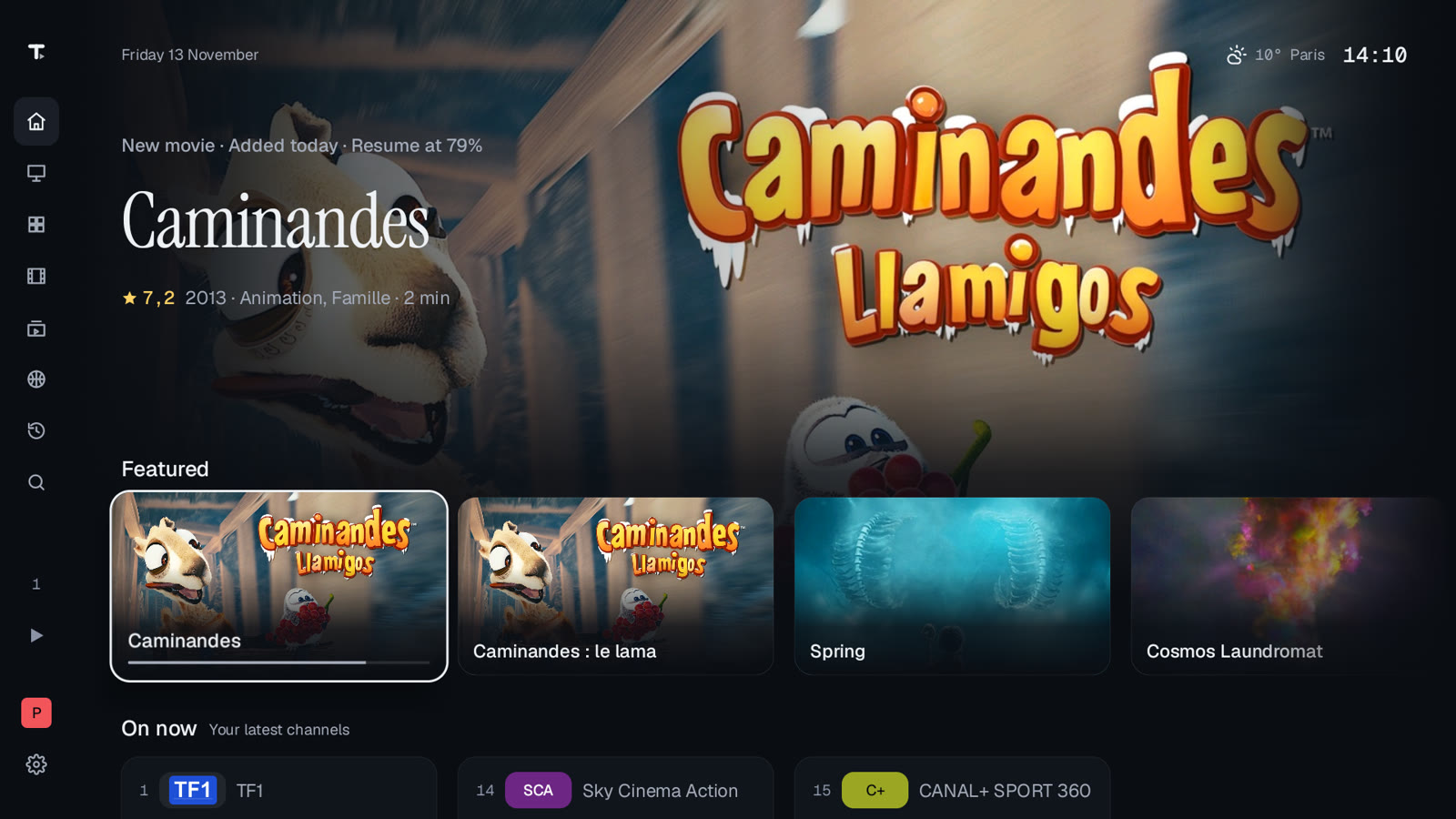
The screenshots in this article use demo channels and open films from the Blender Foundation, released under Creative Commons licences.
Live TV with preview and programme info
The Live TV section shows channels as a list, a grid or with a preview on top. The focused channel plays in a live mini preview. For every channel you see the current programme, the next one and the time left.
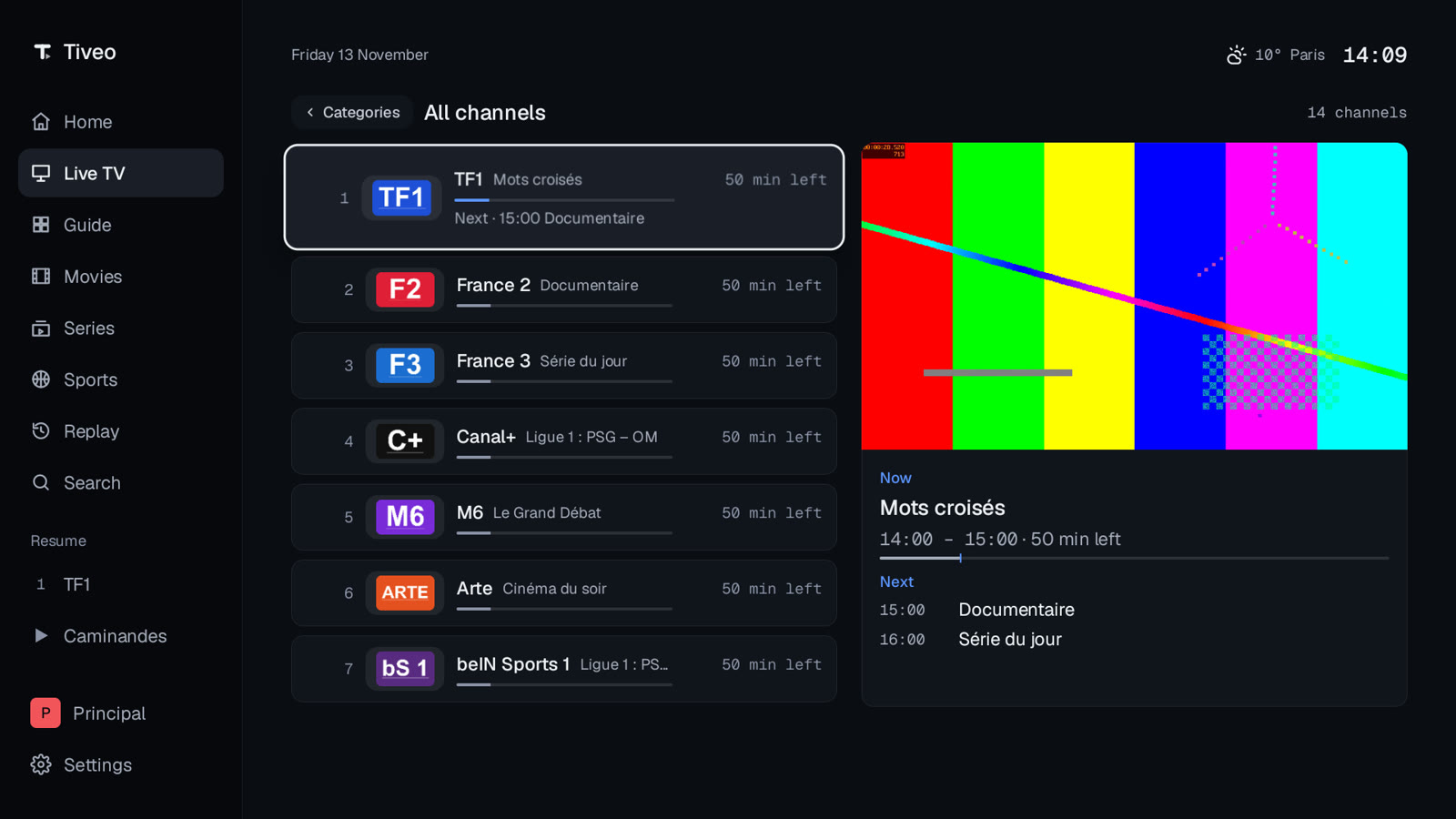
- Categories, Recent, All channels and Favourites (hold OK to add, then reorder).
- Type a channel number on the remote; up and down switch channel.
- Sort by provider order, name or number.
- A favourite can be the channel Tiveo starts on.
- Fast zapping options: preload the next channel, banner duration, zapping timeout.
The TV guide and replay
The guide is a full grid by channel and time, from 1 to 14 days (7 by default). If your guide data is shifted, a setting corrects the time by up to 12 hours either way. You can set a reminder on an upcoming programme, either as a notification or as an automatic switch to the channel.
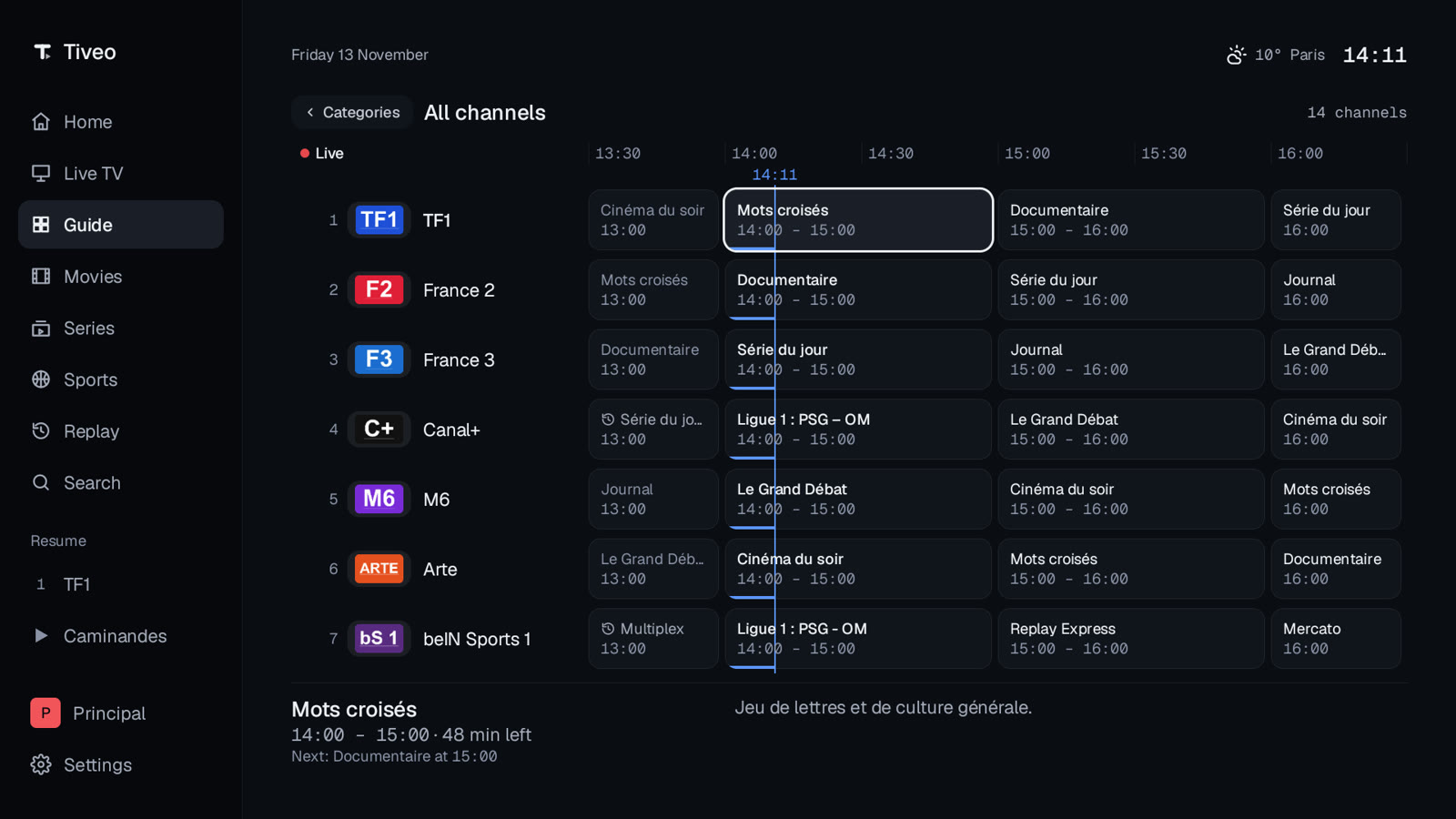
Replay completes the guide. You pick a channel that keeps an archive, a day, then a programme, which plays from the start. Note that this depends on your provider. If archives do not exist, Tiveo says so plainly.
Tiveo also spots matches in your guide data. A Sports page groups them as Live, Today and Tomorrow, with a button to watch on the right channel.
Movies and series: resume, seasons and episodes
Movies and series are browsed by category, sorted by provider order, name, date added or rating. A detail page gives the synopsis, cast, director, rating and similar titles.
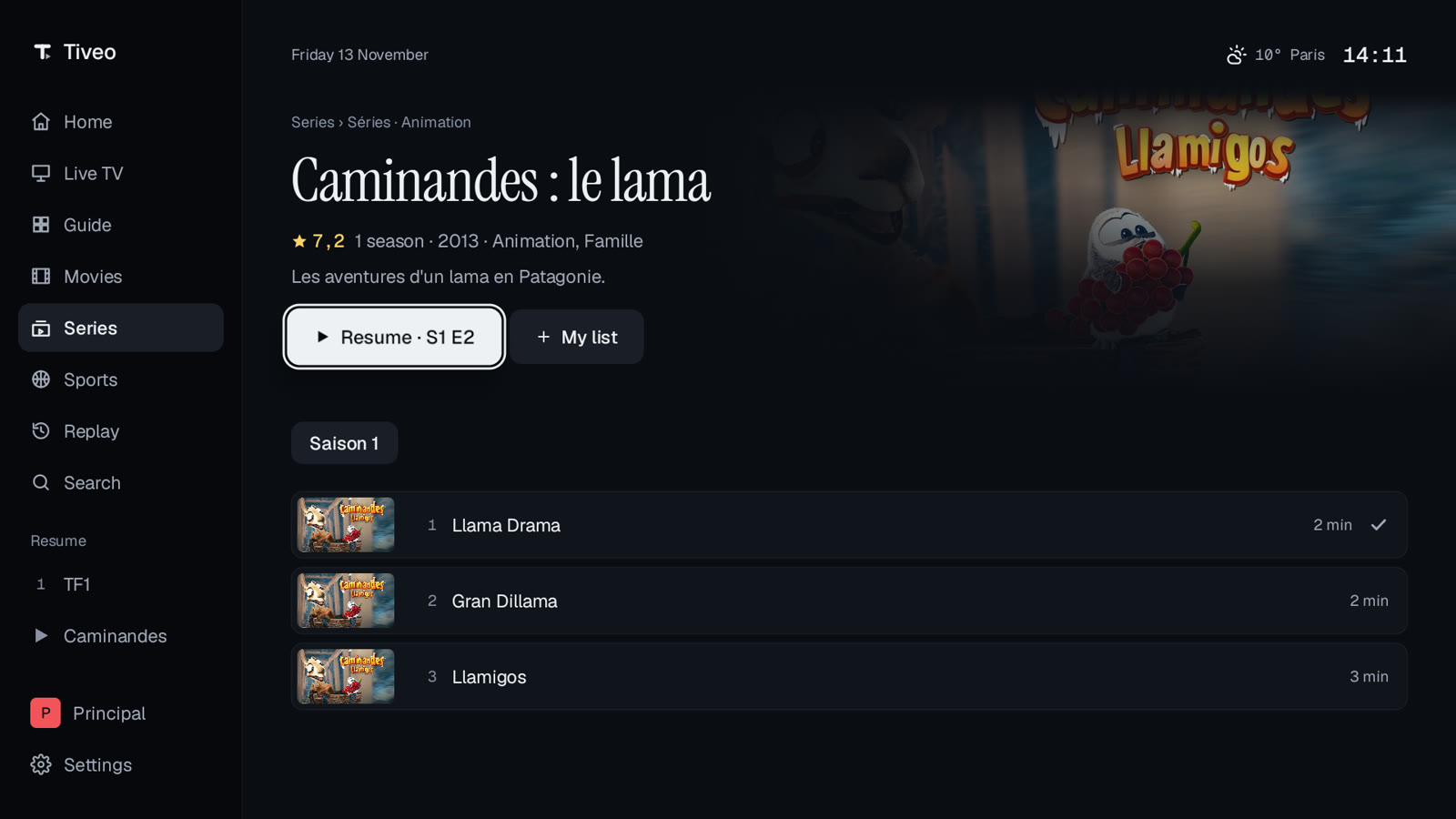
- Resume where you left off, or start from the beginning.
- Series with seasons, specials, watched marks and codes such as “S1 E3”.
- The next episode starts automatically, with a countdown you can cancel.
- My list to save titles for later.
- Clear, plain-language messages when a server returns an error.
One search box and settings within reach
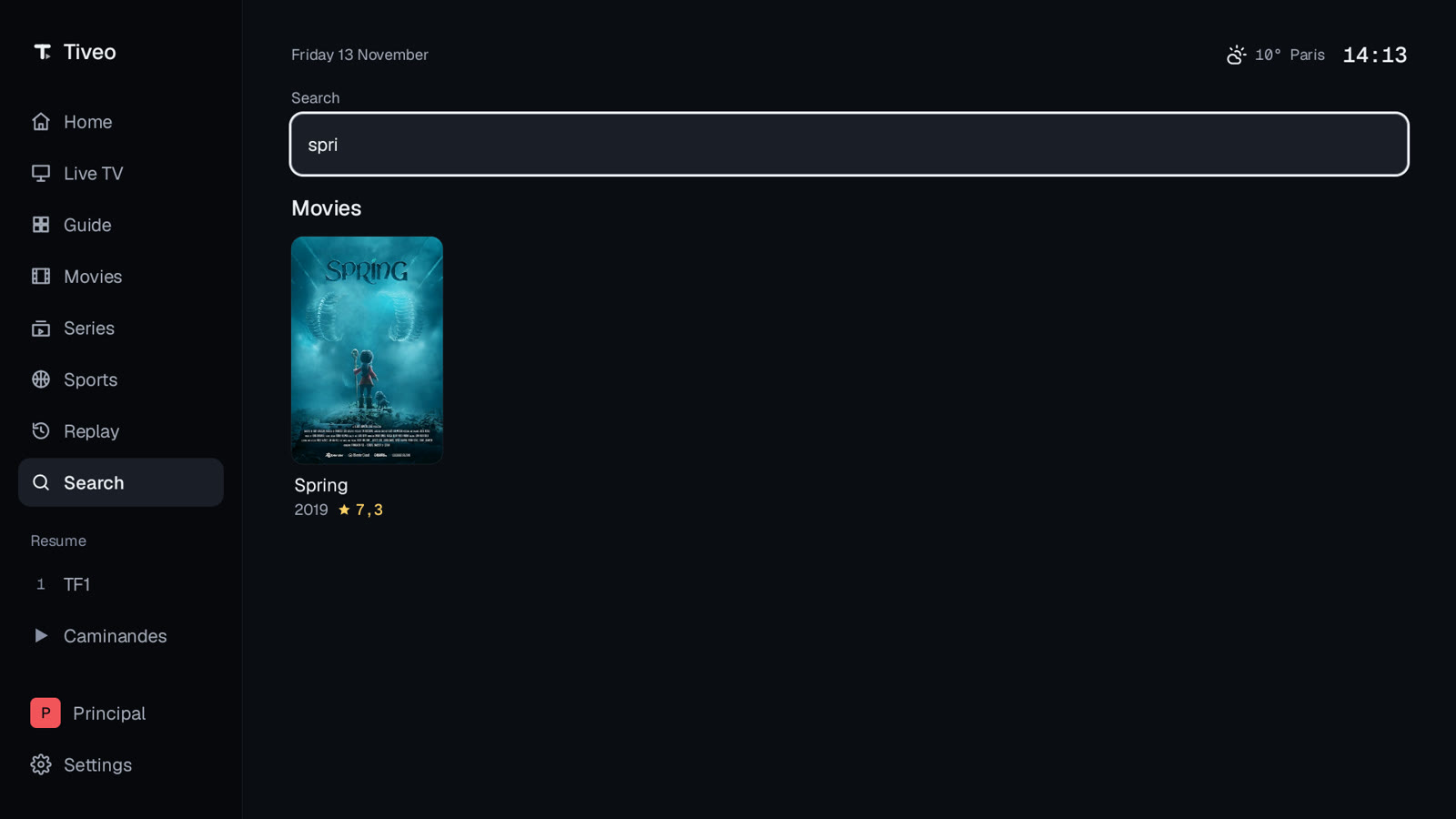
A single search box covers channels, programmes (now and upcoming), movies and series. Results are grouped by type.
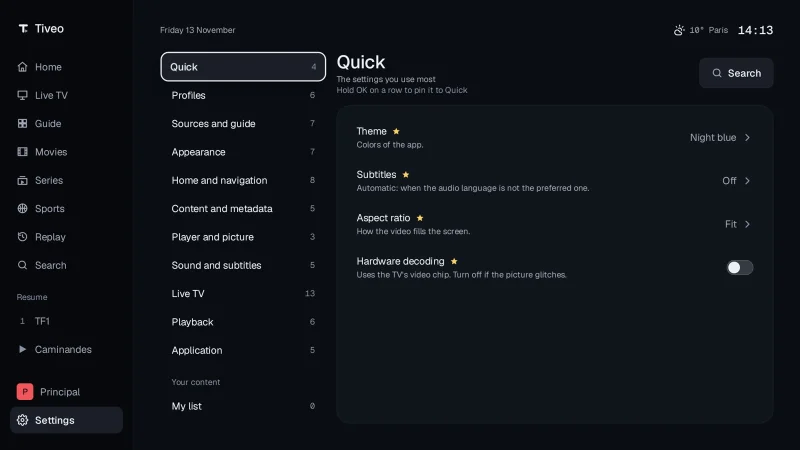
Settings form a hub of cards with its own search, plus a Quick list where you pin the settings you use most. Four themes are offered (Night blue by default, White, Aubergine, Teal), three text sizes and a reduce-motion switch. The interface language can follow the system, or be French or English.
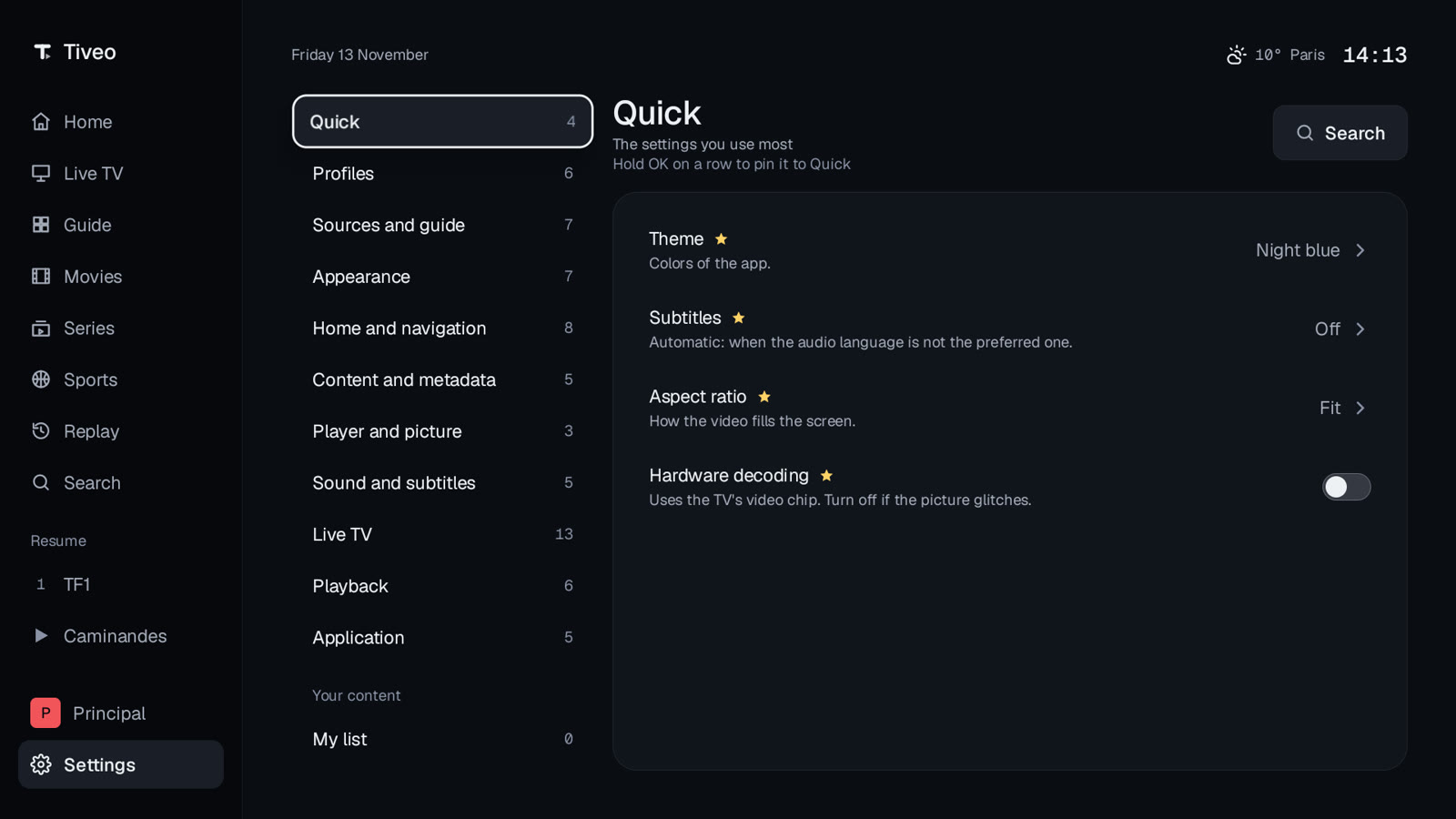
For playback, you can set hardware decoding, a quality cap (Auto, 1080, 720, 480), the aspect ratio, audio tracks and subtitles. The player reconnects on its own when a live stream drops, with a configurable timeout and number of retries. On phones, picture-in-picture is available.
Profiles, parental control and backup
Several profiles can coexist, each with its own name, colour, favourites, history, resume points, theme and settings. A kid profile hides locked categories and needs a PIN to leave. The 4-digit parental PIN locks out after wrong attempts and offers a recovery option. Adult categories are hidden by default.
You can export sources, profiles, settings, favourites, history and resume points to a file, then restore them on another device. Source passwords and addresses are left out unless you choose to include them, and PIN codes are never exported.
Installing Tiveo on Android TV, step by step
Tiveo is distributed as an APK, outside the official store. You therefore need to allow the installation of unknown apps. Here is how.
- Download the APK from the GitHub releases page, either on the TV itself or on a phone or computer, then copy it to the TV.
- On the TV, open Settings then Privacy (or Security & restrictions). Allow “Install unknown apps” for the app that will open the APK, for example a file manager.
- Open the APK with that app and confirm the installation.
- Launch Tiveo. The wizard has you pick a theme and add your first source.
Tiveo can check for new versions on its own and offer to install them. For that, allow “Install unknown apps” for Tiveo as well. You need Android 8.0 or later, and a remote with a D-pad for TV use.
Which sources to add
Tiveo accepts four kinds of source. The wizard tests the connection before saving, and sources can refresh in the background.
- Xtream Codes (server address, username, password): live TV, movies, series, guide and replay.
- M3U or M3U8 playlist, with an optional separate guide address: live TV, plus the guide if you provide one.
- Stalker / MAG portal (portal address and MAC address): live TV, movies and series.
- XMLTV guide: automatic with Xtream, or an optional extra address for any source.
You can save several sources and set a default. However, only one source is shown at a time.
Privacy and limits: what to know
Let us be frank about what Tiveo is not. It is not a service: no channels, playlists or content are provided or sold. Use only sources you are legally entitled to use.
Replay depends on your provider keeping archives. If a weather chip is shown, the data comes from MET Norway, and you can turn it off. The repository holds only the compiled releases, distributed as they are through GitHub Releases, all rights reserved. Free does not mean open source.
To report a bug or suggest an idea, open an issue on the repository’s GitHub Issues, mentioning your device, Android version and Tiveo version (Settings, Application, About).
This blog covers observability and AI, but we also build our own tools. If you like the idea, read our presentation of Selecto AI Windows, another free app from the team. To understand what makes a video stream smooth, see also our guide to measuring network latency on a streaming service, and our self-hosted open-source AI stack for home-lab fans.
Frequently asked questions
Does Tiveo provide channels or an IPTV subscription?
No. Tiveo is a player only, with no channels, no playlists and no content. You need your own subscription or playlist, one you are entitled to use.
Is Tiveo really free?
Yes. The app has no price and no in-app purchase. It is developed by our team and distributed free of charge.
Do I need the Google Play Store to install it?
No. Tiveo installs from an APK downloaded from the GitHub releases page. You must allow unknown apps, as described above. It runs on Android 8.0 and later.
Conclusion: give Tiveo a try
Tiveo bets on the essentials: a home that resumes where you left off, a full guide, a single search and clear settings. Download the APK from the releases page, add your source, and tell us what you think.
Support us
Tiveo is developed by our team and stays free. If it is useful to you, two simple gestures help it get known: leave a star on GitHub (one click with your GitHub account) and share it with someone who needs it, a colleague, a friend or a community. Every star and every share makes the project more visible, and keeps us motivated to carry on.
Independent blog, not affiliated with Dynatrace LLC. This article is not about Dynatrace: Tiveo is an app developed by this blog’s team.