DesignCraft page layout open source is one of the newer projects in the suite of creative applications published by the GitHub organisation storytold and built by the ArtCraft team. It is an editor for pages, magazines and print documents, written in Rust. The project describes itself as a “clean-room” reimplementation of a commercial page-layout program. That is the project’s own claim, and its README states that it is not affiliated with that program’s publisher.
In mid-October 2026 the storytold/designcraft repository showed about 4,200 stars, and the latest visible release was v0.8.0, published on 14 October 2026. This guide is for technical readers: what the project claims, what the interface looks like, how to install it according to the README, and above all what not to expect. Every figure comes from the repository page on that date.
A note on honesty: span.observer has neither installed nor run DesignCraft. Everything below comes from the README, the repository roadmap and the project page on getartcraft.com. The screenshots are the repository’s own.
DesignCraft page layout open source: what the project says
The README presents DesignCraft as a “page layout and publishing” tool, native on macOS, Windows and Linux, and also able to run in a browser through WebAssembly. The code is in Rust, with an interface built on egui. The licence is dual: MIT or Apache-2.0, at your option (files LICENSE-MIT and LICENSE-APACHE). The ArtCraft logos in docs/brand/ are trademarks and are not covered by that licence.
The technical points the project highlights:
- Text composition: a Knuth–Plass style paragraph composer, dictionary hyphenation, justification, columns and a baseline grid. The README claims line breaks are identical on screen and in the PDF.
- Formats: a documented native format, IDML import and export, INDD import through the
indd-utilslibrary, PDF export (PDF/X-4 and PDF/A-2b), PNG, EPUB and an editable PowerPoint export. - Programmatic control: every menu command can be sent over a JSON control channel or an MCP server. For the protocol itself, see the Model Context Protocol explained.
- Privacy: “no subscription, no licence server, no telemetry”, according to the README.
A tour of the interface
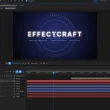
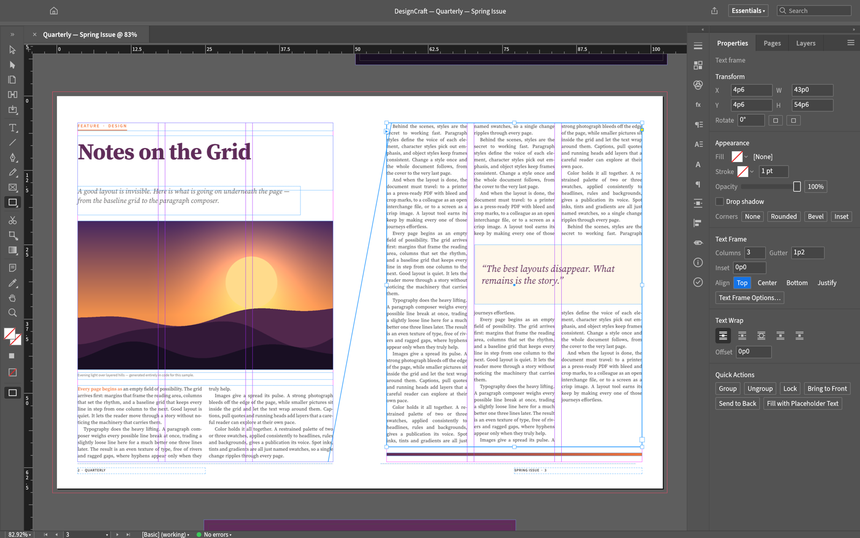
The first screenshot, taken from the README, shows a magazine open with a three-column story threaded from one frame to the next. You can see the text in and out ports, the toolbar on the left, the rulers and, on the right, the Properties panel with the text frame options.
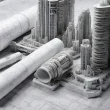
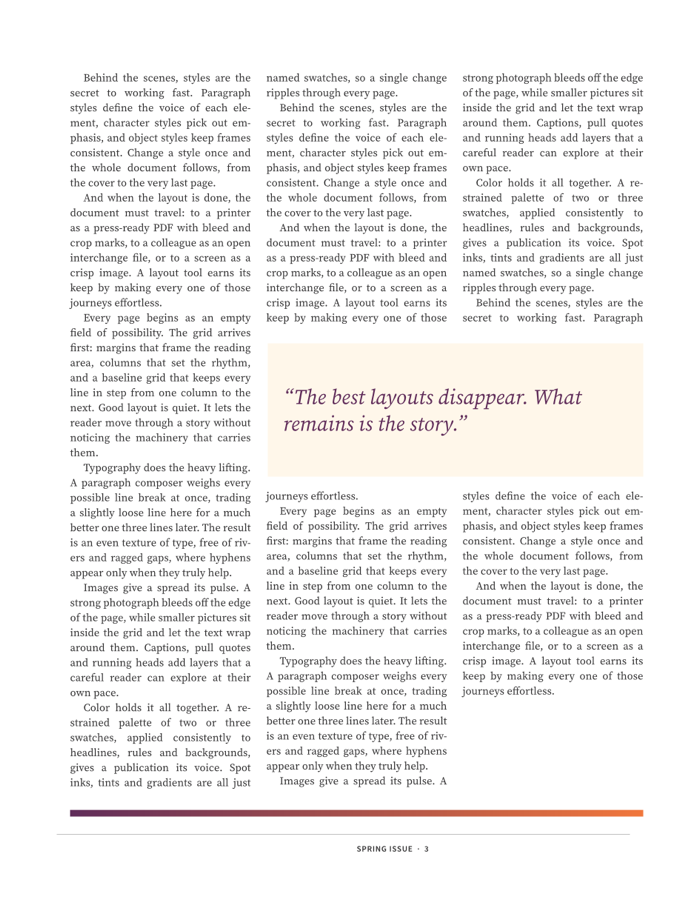
The second image is a page exported by the project’s own renderer. According to the README, the sample pages are laid out by code (crates/engine/src/sample.rs) and exported by DesignCraft’s own engine. It shows three justified, hyphenated columns and a boxed quotation that the text wraps around.
Installing DesignCraft step by step
The README offers two routes: download a prepared build, or compile from source. The commands below come from the README; check them against the repository before running them, as the project moves quickly.
Step 1 — Download a prepared build
The project page on getartcraft.com is described as the easiest route. The GitHub “latest release” lists, according to the README:
- Windows: an
.msiinstaller or a portable.zip, in x64, arm64 and x86; - macOS: a universal
.dmg(Apple silicon and Intel), stated to be signed and notarised; - Linux: AppImage, Flatpak,
.deb,.rpm, an Arch package and atar.gz, in x86_64 and aarch64; - FreeBSD and a static web build (
designcraft-web-<ver>.zip).
Step 2 — Compile from source
You need Rust 1.95 or newer for the egui interface.
cargo run --release -p designcraft                  # desktop application
cargo run --release -p designcraft -- --sample      # opens the sample magazine
cargo run --release -p designcraft-cli -- run --sample --all-pages out/   # renders every page to PNG, no window
The second command opens the sample document shown above. The third uses the designcraft-cli command-line tool and is enough to check the engine without a graphical interface.
Step 3 — Optional: Japanese fonts
Japanese text relies on the craft-fonts repository, cloned next to the project and pointed to by the CRAFT_FONTS_DIR variable. Without it the program uses the system fonts; the published builds include it, according to the README.
Limits and open questions
- Maturity: the README and the roadmap state a “pre-alpha” stage. By its own estimate, the roadmap puts “ready for real work” at about 47%. For editing work that matters, keep your current tool alongside.
- Known gaps: the repository keeps two documents,
docs/gaps.mdanddocs/target-app-parity.md, that list what is missing. Read them before evaluating the project, and trust these dated documents rather than the README’s feature list. - Unverified claims: “clean-room” and IDML/INDD compatibility are the project’s own statements. This guide has no independent measurement behind them. Test your own files.
- Pace of change: the repository has more than 2,500 commits and about 180 open issues. 0.x versions may change behaviour from one release to the next.
- Driving it with an agent: the control channel listens locally (
127.0.0.1:7979in the README’s example). If you connect an AI agent to it, apply the rules from securing an MCP server.
What you can measure on the workstation
DesignCraft is a desktop application: there are no metrics to export, and we do not invent any. The README does document what helps diagnose a machine:
- The log:
logs/designcraft.login the settings folder (~/.config/designcraft/logs/on Linux,%APPDATA%\DesignCraft\logs\on Windows,~/Library/Application Support/DesignCraft/logs/on macOS). It records the graphics adapter chosen, why the app stopped and any crash report. Each launch archives the previous log (designcraft.1.log), so the log of a crashed run survives the restart. - Verbosity: the
RUST_LOGvariable sets the levels (the README givesRUST_LOG=debugas an example). - Start-up: the README says the app reports a “late” first frame after 20 seconds. To compare two machines, time the delay before the window appears yourself.
- Memory and CPU: the canvas is rendered on the CPU (the GPU only composites the interface). Read the resident memory with the system tools (Task Manager,
ps) on a real document and note the size of the file you opened.
If you drive DesignCraft with an AI agent, supervising that agent is a separate subject: see supervising an enterprise coding agent.
Good practice
- Work on copies: save in the native format and export to IDML or PDF to compare the result with your current tool.
- Note the version (v0.8.0 at the date of this guide) in your project notes, because behaviour can change between releases.
- Keep the
designcraft.logfile to hand for any bug report. - For automated rendering (PNG previews of pages), prefer
designcraft-cliand compare images from one version to the next. - Also see FigCraft, the interface design application from the same suite, and the overview of the whole suite.
Frequently asked questions
Is DesignCraft free, and under which licence?
The repository is published under a dual licence, MIT or Apache-2.0 at your option. The README adds that the ArtCraft logos are not covered by that licence.
Can it be used for professional print work?
The project is pre-alpha and itself estimates its maturity at under half of a complete tool. Test your files and PDF exports first, and keep a second tool for critical jobs.
Does it work without installing anything?
The README describes a web version (WebAssembly, WebGPU with a WebGL2 fallback) and portable builds on Windows. The web version has no control channel.
Conclusion
DesignCraft is a project to follow for its text composition, its open formats and its command-line control, but not yet a proven replacement. Sources for the figures: the DesignCraft repository and the project page.
span.observer is an independent community blog, not affiliated with Dynatrace LLC or with the projects mentioned. Trademarks belong to their owners. Tools change quickly: check commands and options in their official documentation.