The VectorCraft open source vector graphics editor is written in Rust: an illustration tool with a pen, Pathfinder, gradients, type, artboards and SVG or PDF export. It is one of the “Crafting Apps” from the ArtCraft team (GitHub organisation storytold) and showed about 9,400 stars in mid-October 2026. The latest release read on the repository is v0.12.0, published on 16 October: the project moves almost daily, which matters to anyone who wants to try it.
The README describes it as a clean-room reimplementation of the workflow of a commercial illustration tool. That is the project’s own claim, which span.observer reports without vouching for it: the repository states that it is independent, and neither affiliated with nor endorsed by the original vendor. span.observer has neither installed nor tested the software. The screenshots come from the project’s repository (MIT or Apache-2.0 licence).
VectorCraft open source vector graphics: the essentials
- Licence: MIT or Apache-2.0, at your option.
- Language and platforms: “pure Rust” according to the README; macOS, Windows, Linux, FreeBSD, and the browser through WebAssembly. The engine is separate from the egui interface.
- Formats: a documented native format
.vectorcraft(JSON), SVG, PDF and PDF-compatible.aion import and export, plus PNG, JPEG and WebP export. The project also says it can open Affinity documents without writing them. - Status: alpha. On 10 October 2026 the project estimated that about 88% of the target tool’s menus, tools, effects and formats exist, feature depth at about 75% and readiness for real work by a mainstream illustrator at about 65%. These scores are self-assessed, and the project links to a page explaining how far to trust them.
- Agents: every menu, tool gesture and dialog can be driven over a JSON channel and an MCP server. For background, see the Model Context Protocol explained.
A tour of the interface
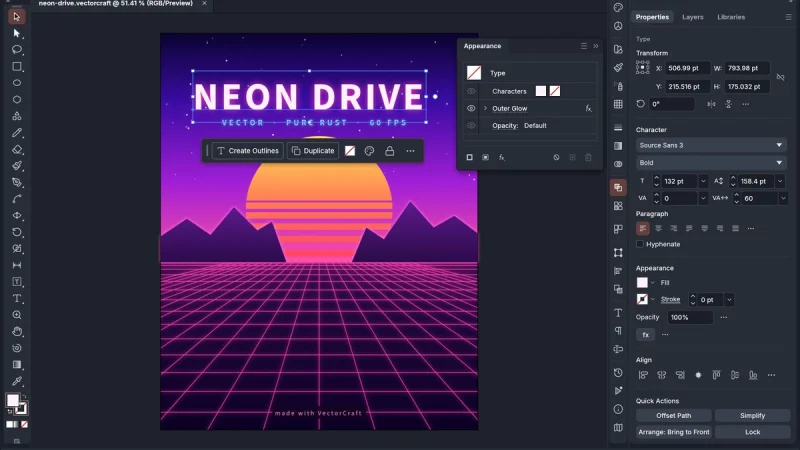
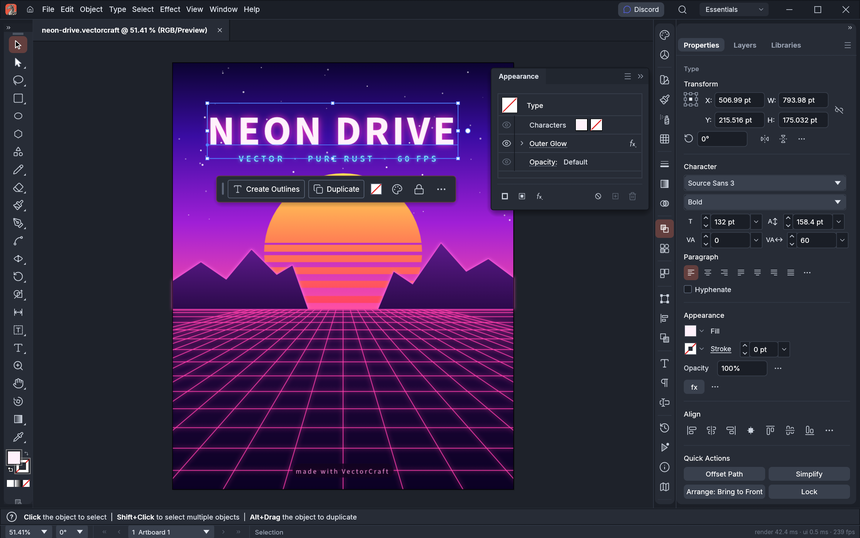
The main window follows the layout of a classic illustration tool: toolbox on the left, document in the centre, Appearance, Properties and Layers panels on the right. Here is the Neon Drive sample poster, shipped in the repository’s examples folder:
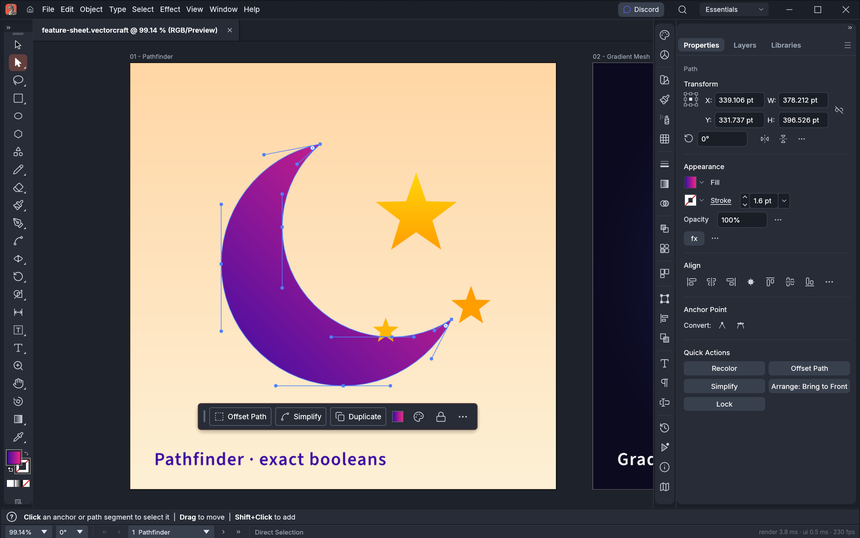
The Direct Selection tool shows the anchors and Bézier handles of a crescent built with Pathfinder, with a contextual task bar below the shape. The README boasts exact curve booleans.
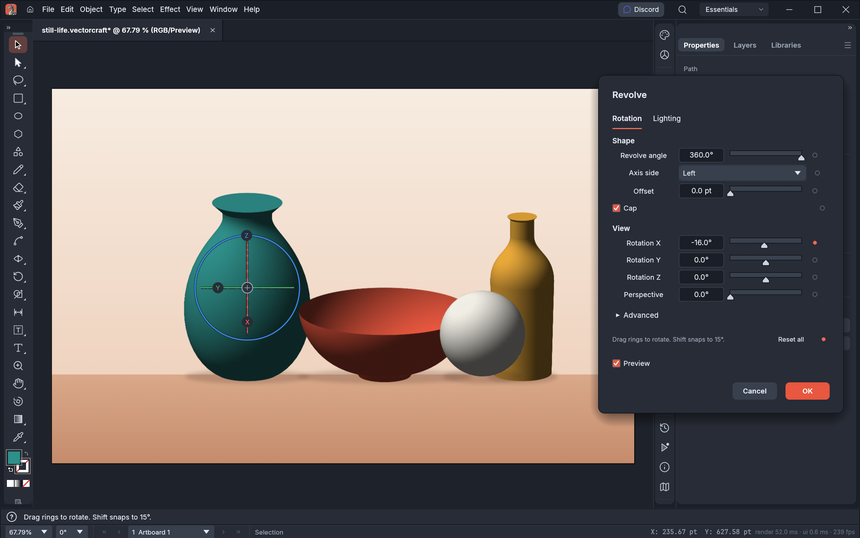
The last screenshot shows 3D Revolve, which spins a profile into a shaded vector vase or bowl. The README presents it as a start: Extrude & Bevel and materials are still to come.
Installing VectorCraft step by step
The README first points to the VectorCraft page on getartcraft.com. The repository’s “latest release” page lists every file: MSI and portable archives for Windows (x64, arm64, x86, signed installers), a signed and notarised universal macOS DMG, AppImage, Flatpak, .deb, .rpm and tar.gz for Linux, a FreeBSD archive, with a SHA256SUMS.txt file for checksums.
From source, the README commands are:
git clone https://github.com/storytold/vectorcraft
cd vectorcraft
cargo run --release -p vectorcraft                          # desktop app
cargo run --release -p vectorcraft -- examples/dusk-poster.vectorcraft
cargo run --release -p vectorcraft -- --control 7979        # + JSON control channel
cargo run --release -p vectorcraft-cli -- mcp               # MCP server (stdio)
cargo run --release -p vectorcraft-cli -- run --in examples/ribbons.vectorcraft --export out.pdf
Two Linux-specific points from the README: on native Wayland the windowing library does not deliver dropped files (use File > Open, or choose X11 through XWayland in Preferences > Performance), and on KDE Plasma 6.3 or later with Wayland a drawing tablet’s pen does not respond yet (tracked as issue 491 in the repository).
Limits and open questions
- .ai files: reliable exchange of the target tool’s native files is missing; its editing data is not written.
- 3D and materials: only the live Revolve so far.
- Raster effects: about half are missing (27 of 57 according to the README), as is the effect gallery.
- Typography: vertical CJK composition is partial; no scripting, and no generative AI.
- Stability: the README lists start-up stability and .ai files from real users among the next steps. A 64-bit Windows 7 build is experimental and unsupported.
The release cadence (v0.12.0 on the day of reading) is an asset for fixes, but it means pinning a version and reading the notes before updating a production machine.
What you can measure on the workstation
VectorCraft is a desktop application: span.observer attributes no monitoring feature to it. The README does give two concrete handholds.
- Render time: the command
cargo run --release -p vectorcraft-cli -- bench examples/neon-drive.vectorcraftis described as a render timing. The screenshots also show a render time and a frame rate in the status bar. The README quotes about 27 ms for 20,000 shapes at full resolution; that is the project’s figure, to reproduce on your machine with the same file. - GPU choice: on a machine with two graphics processors, the app defaults to the power-saving one on Windows and macOS. Preferences > Performance > Graphics Processor lets you choose, and
WGPU_POWER_PREF=highorWGPU_ADAPTER_NAME=nvidiado it at launch. Measure the rendering difference with each card. - Memory and start-up: note peak resident memory when opening a large file (
/usr/bin/time -von Linux) and the delay before a usable window. - Crashes: count abnormal exits per version; the README says that if a graphics processor cannot show the window the app restarts on the next one, a behaviour to check on your hardware.
Best practices
- Keep an SVG or PDF export of every deliverable: those are open formats, readable without VectorCraft.
- To connect the MCP server to an agent, confine it to one folder with
--automation-read-rootand--automation-write-root, options quoted in the README, and read isolating stdio MCP servers and securing an MCP server. - Pin the version (v0.12.0 today) and read the release notes before each update.
- See also DesignCraft for page layout and PhotoCraft for raster images.
Frequently asked questions
Does VectorCraft read SVG and PDF?
Yes: the README lists SVG and PDF on import and export, plus PDF-compatible .ai files. Fidelity varies by file, hence the value of testing your own.
Can you use it for client work?
The project calls itself alpha and puts readiness for real work at about 65% for a mainstream illustrator. Use it on test projects first and keep open-format exports.
Is the MCP server safe to expose?
It drives every tool. Limit its read and write folders as the README describes, and do not expose it to an untrusted agent without isolation.
Conclusion
VectorCraft deserves a trial for its announced exact booleans, its open formats and its development pace. It remains an alpha project whose parity figures are self-assessed. Install a dated version, measure rendering and memory on your own files, then decide. Sources: VectorCraft repository and VectorCraft page on getartcraft.com.
span.observer is an independent community blog, not affiliated with Dynatrace LLC or with the projects mentioned. Trademarks belong to their owners. Software changes quickly: check figures, commands and options in the repository and the official documentation.